Fits how you work
Kula Ops comes with a set of Apps for the things every shift needs. Use them as they are, or build your own for the jobs particular to your business, so Kula fits how you work instead of the other way round.
Kula Ops is the app managers and teams use on every shift, on an iPad, a desktop or a phone. It turns the model of your business into plain, practical help for every role. Your people make the calls. Kula makes sure they have what they need.
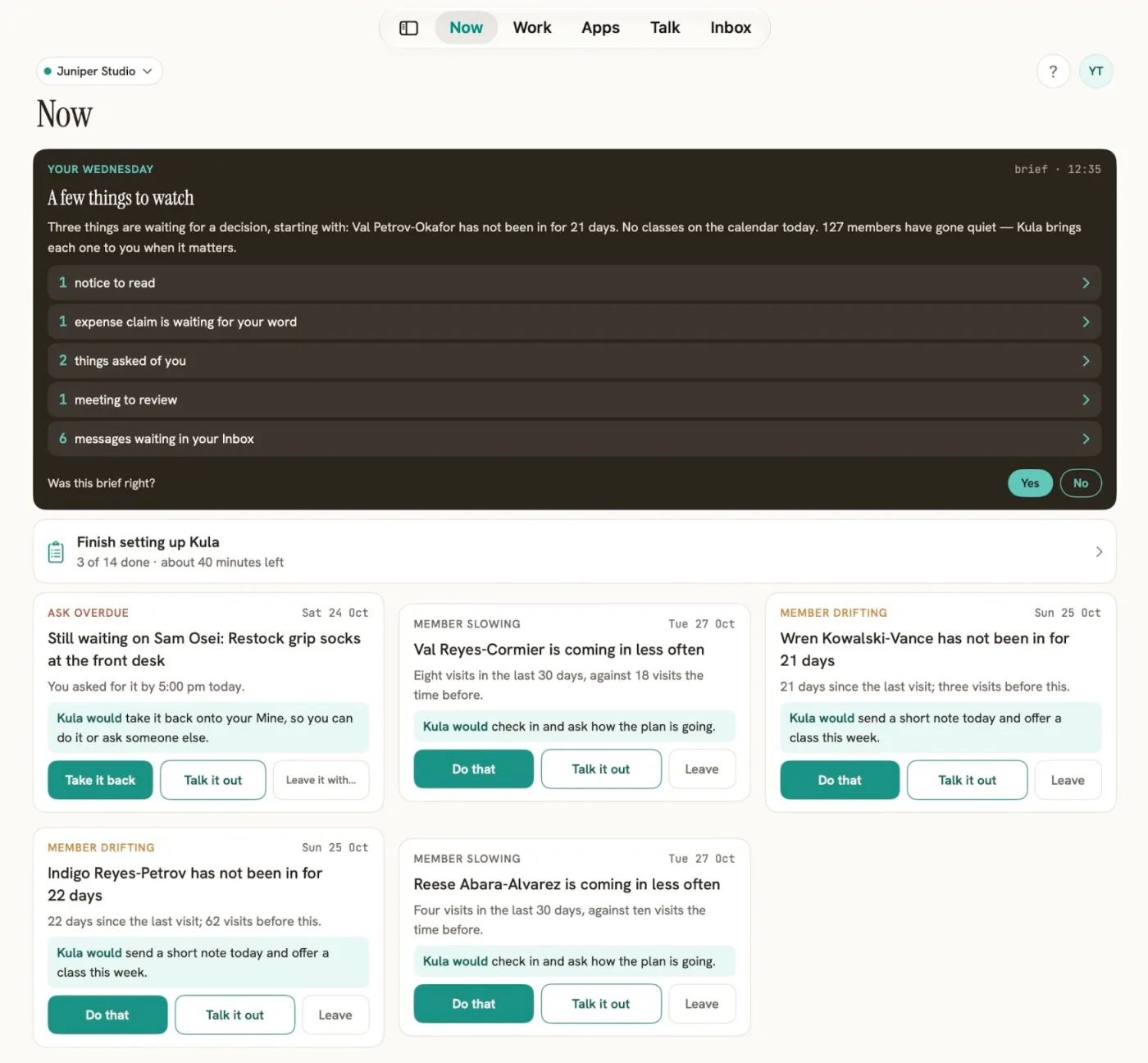
Kula Ops, on a demo business
Kula Ops runs on an iPad at the front desk or in the office, in a browser on a desktop, and on a phone on the floor. Same app, same help, so it fits the way each person moves through the day. These are the real screens on a demo business: the names and numbers belong to a demo studio, not a customer.
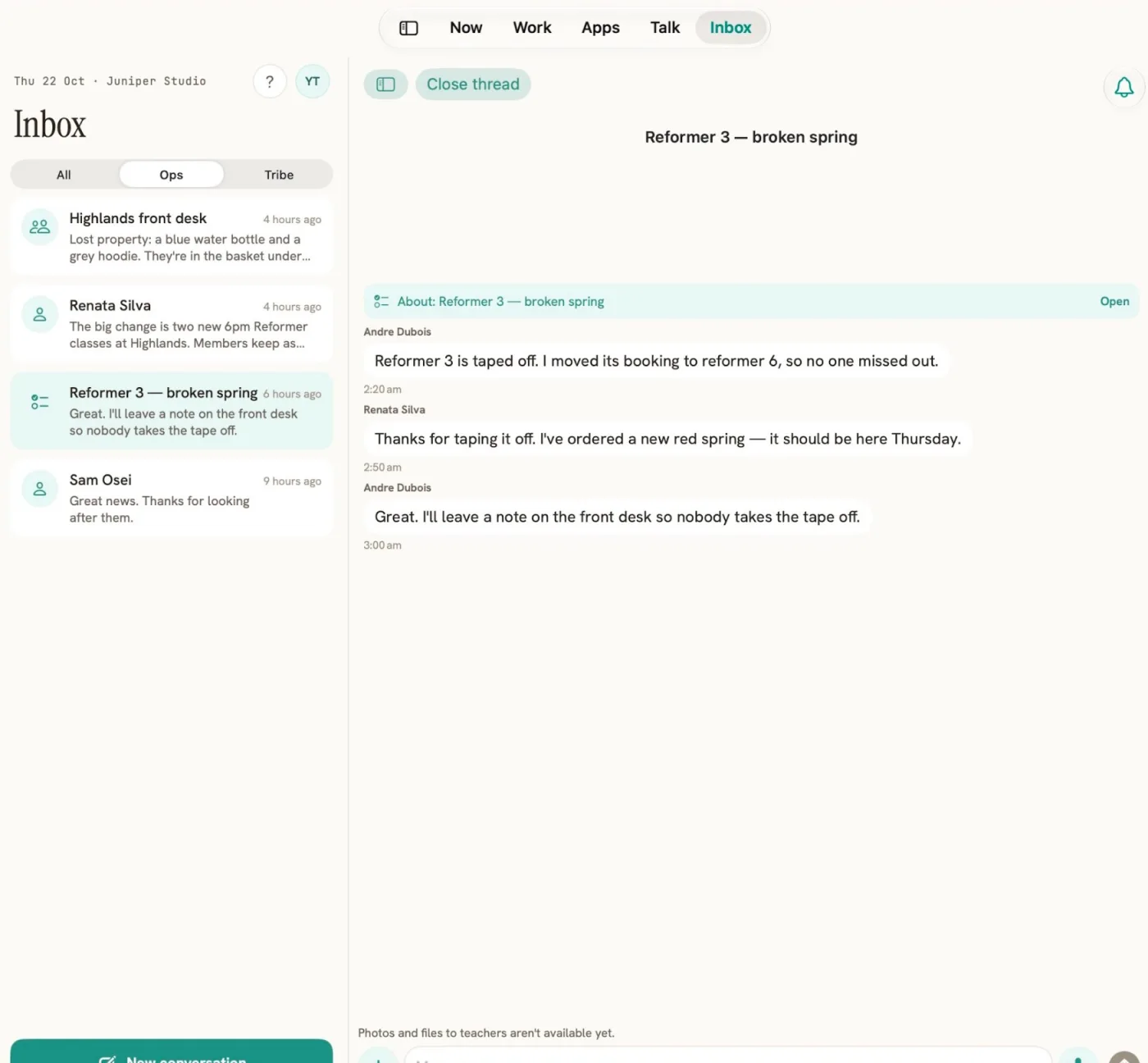
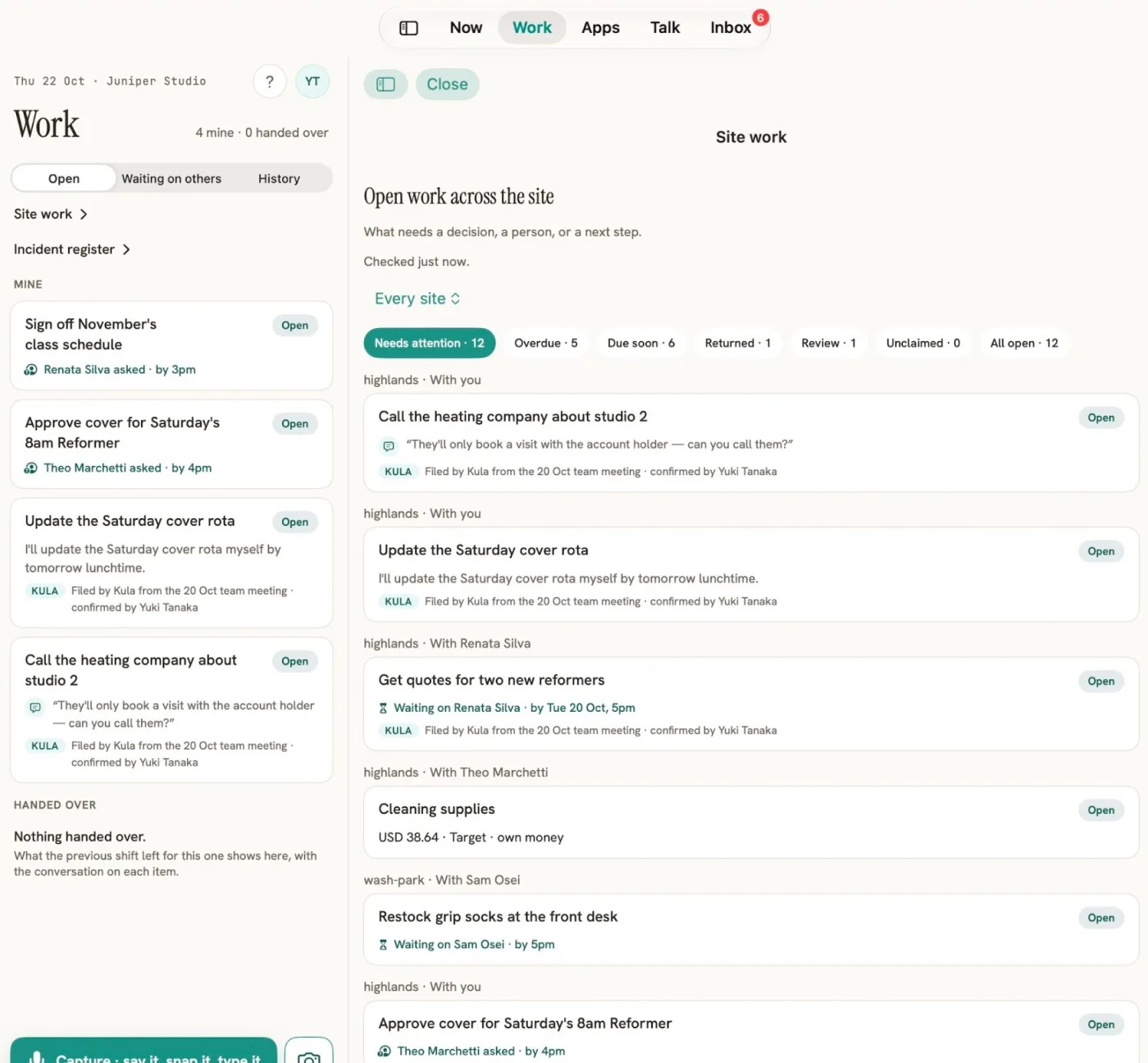
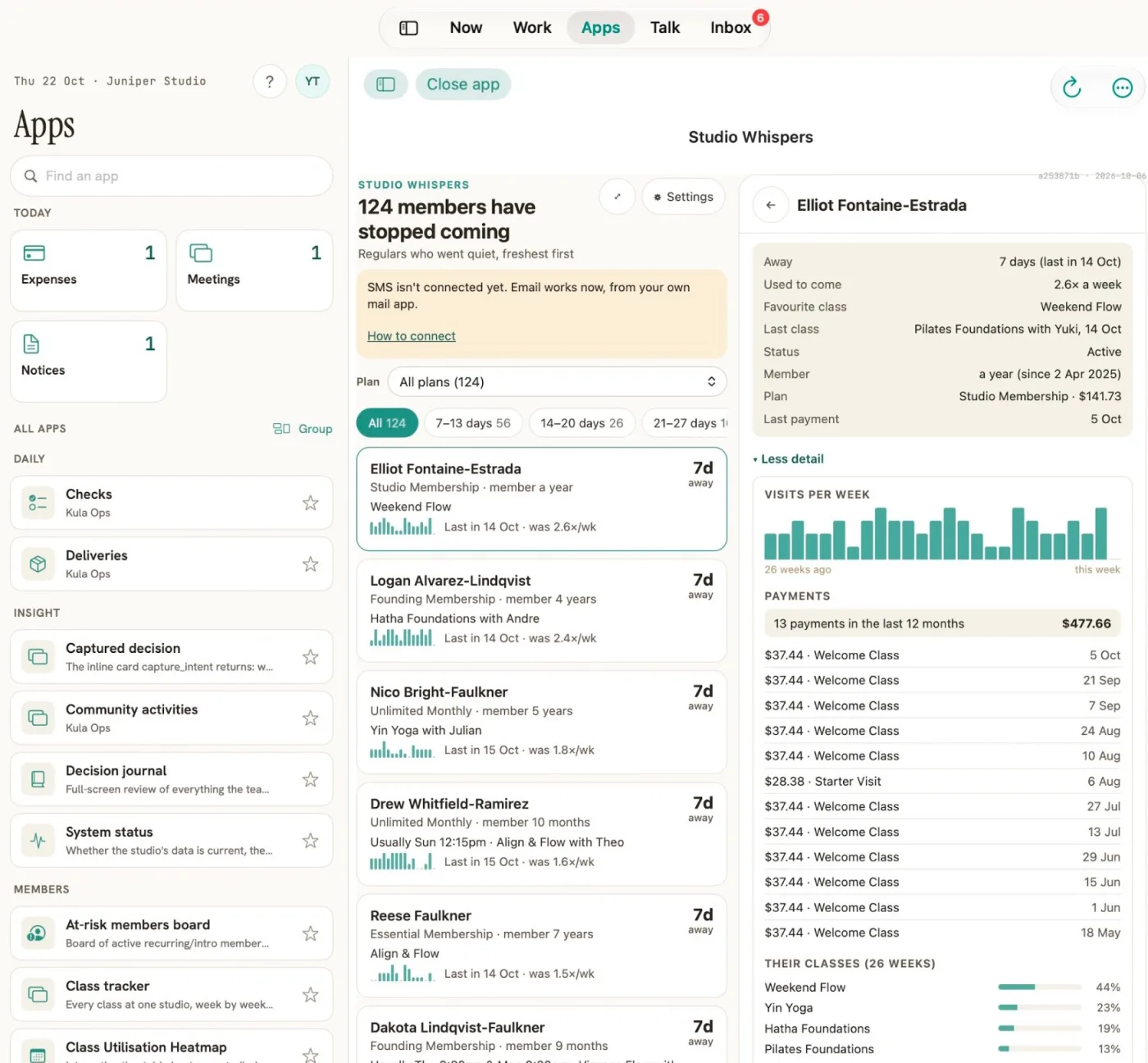
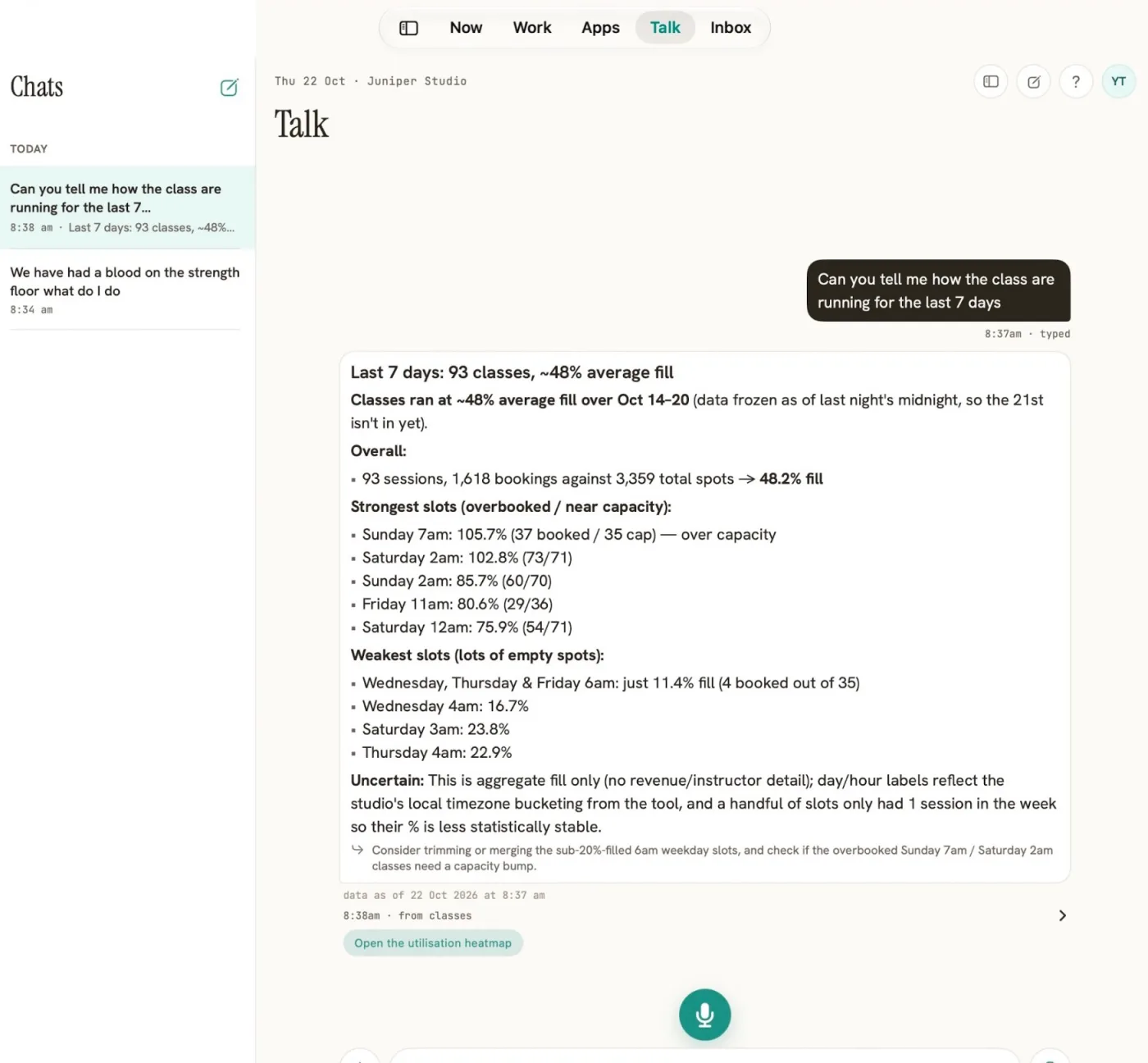
One club, one ordinary day, with Kula Ops alongside the team. Names and details are illustrative, not real data.

Sam opens the club. The handover from last night is already in: one open incident, a delivery due at ten, a new starter on the floor at nine.
A member slips near the showers. Sam asks what to do. The answer comes from the club’s own procedures, with the level, the steps and a photo added to the register. The club manager is notified without anyone ringing around.
The weekly huddle agrees three things. Kula Ops turns them into to-dos for the right people, with a date on each, so nothing is lost when the meeting ends.
Dev closes. The handover writes itself from the day: what was done, what is still open and what the morning shift needs to know. Dev adds one line and clocks off from the floor, straight into payroll.
Everything a shift needs, in one place, built from your own procedures.
Everyone starts their shift knowing what happened, what is due and what needs attention. No more scrolling the group chat.
Step by step guidance from your own procedures, with clear levels, photos, and an incident register kept for you.
The right person hears about the right thing at the right time, and issues move up the chain when they need to.
Every site at a glance: who is on, what is open and where a hand is needed, without ringing around.
Which classes are filling and which are going quiet, for every site, without waiting for month end.
One place for the messages, updates and requests that matter to each person, sorted by what needs doing.
Staff clock on from their phone when they arrive, with no hunting for a terminal and no chasing timesheets. Hours flow straight through to payroll, so pay is right first time.
Talk it through as a team, and Kula Ops turns what was agreed into clear to-dos for the right people, so actions do not get lost after the meeting ends.
What came in, in one place, whichever provider it came through, so the team can pick up a missed payment early.
Kula Ops comes with a set of Apps ready to use, and your business can build its own for the jobs that are particular to it. Choose who can open each one, and connect them to the systems you already run.
Faults reported from the floor, assigned, and followed up until they are closed, with the history kept for the next shift.
Plan an event, rostered and promoted, and keep the people involved in one place.
See what each person has earned and check it against the sales, before it goes to payroll.
Approvers see only the exceptions. Everyone who worked their shift is already approved.
Kula Ops comes with a set of Apps for the things every shift needs. Use them as they are, or build your own for the jobs particular to your business, so Kula fits how you work instead of the other way round.
Each App has its own access. Give Maintenance to the whole team, Commissions to managers and head office, and change it whenever you like.
An App can read from your other systems and update them for you, so the team does not have to log in to each one to get a job done. Less switching between tools, and more time with people.
Pay systems work to the exact minute. A business decides that a start or finish within 5 to 10 minutes of the roster counts as the rostered shift. The App applies that rule, reads the messages for a reason when a shift does not match, and puts only the exceptions in front of the approver.
Names, times and rules here are examples. Each business sets its own window and which messages count.
Apps are built on the open MCP Apps standard, so they work with the AI tools your team already uses. For developers →
Need an App we do not have yet? Build your own, or tell us what you do today.
Book a conversation →What happened overnight, what is due today and what needs a hand. Your duties, your messages and help when something goes wrong, on your phone.
The class, the cover, the new starter and the member who needs a word, all in the briefing before you reach the floor.
Incidents come to you with the next step already written from your own procedures. Meetings turn into to-dos for the right people.
See where a club needs a hand before the phone rings, and let the clubs that are running well keep running.
Who is on, what is open, what came in and what is due, across every site, without ringing around.
Briefings and incident help come from your own operations manuals and job descriptions, so the guidance matches how your business really runs.
Staff clock on from their phone when they arrive. Hours flow straight through to payroll, with no chasing timesheets.
Kula Ops is backed by Kula Intelligence, which keeps your rules, data and access in order.
About Kula Intelligence →Start straight away with what you already have, and see it working before anything changes.
No sign up needed. Ask anything on a live demo business and see the answers for yourself.